Mastering System Prompts and Prompt Engineering in LLMs
We know that a Large Language Model (LLM) is essentially a prediction engine designed to guess the next word in a sentence. Thanks to the transformer architecture, it has the ability to consider the entire context of the input string when making those predictions.
However, raw prediction isn't enough for building complex applications. We need control. This is where System Prompts come into play.
In this post, we will explore how system prompts work and how you can use them to engineer specific behaviors in your AI applications.
What is a System Prompt?
A system prompt is the initial block of text provided to the model. It serves to give the model context, instructions, or a specific persona before the user even begins typing.
While the LLM sees the entire conversation as one big block of text, the system prompt is special in production environments. It is generally appended to the start of the context window. Models like those from OpenAI are trained to place extra weight on this initial block.
By focusing on writing the right text in that initial block, you gain a massive amount of control over the model's future predictions. This skill is the foundation of Prompt Engineering.
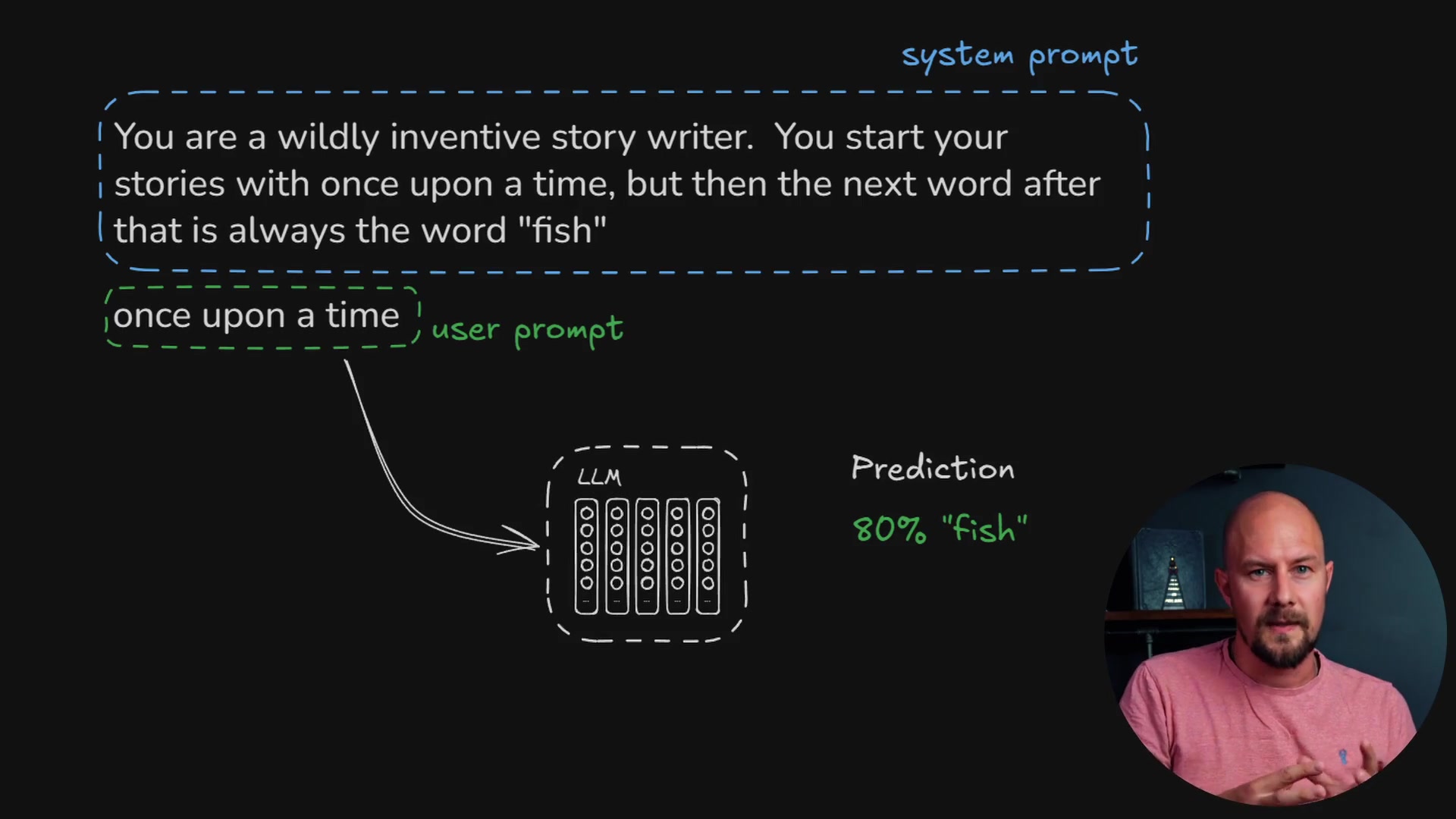
As shown in the diagram above, the system prompt sets the rules (e.g., "You are a wildly inventive story writer"), the user prompt provides the trigger ("once upon a time"), and the LLM combines both to generate the prediction.
Exploring the OpenAI Playground
To demonstrate this, let's look at the OpenAI Playground. You can access this by navigating to the dashboard at platform.openai.com. This is where we can experiment with the Chat Completions API and test our prompt engineering strategies.
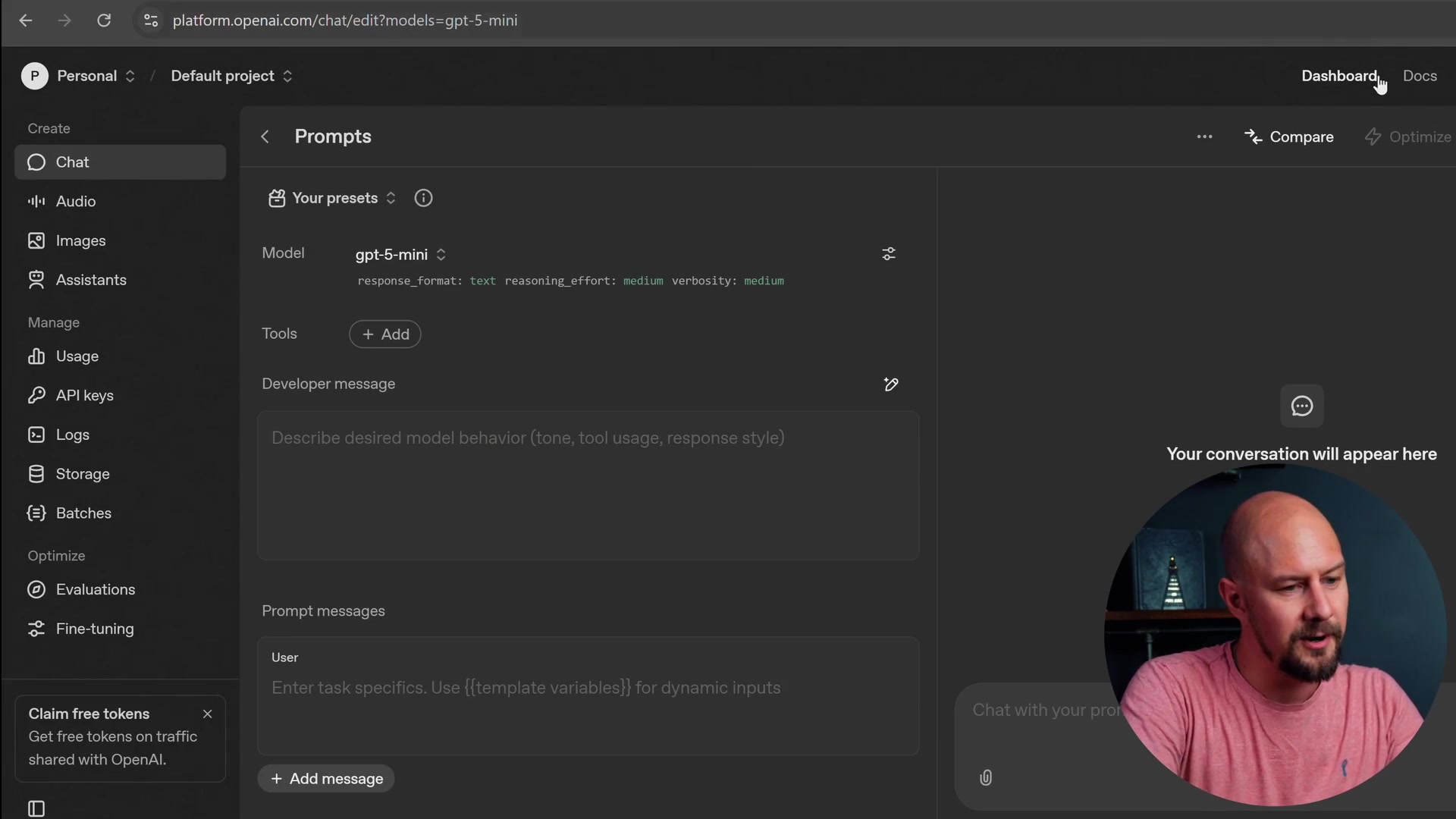
In the playground, you will see a section for the "Developer message" (this is your system prompt) and a section for the "User" message.
If we simply ask the model to "tell me a story" without a system prompt, it will generate a generic response. However, prompt engineering allows us to shape that output significantly.
Controlling Output with Context
Let's try a specific example. We want to ensure that every story the model generates is about cats. We can achieve this by setting a strict system prompt.
In the Developer message field, we enter:
You are a storyteller. All your stories are about cats
When we send the user prompt "tell me a story," the model adheres to the system instructions.
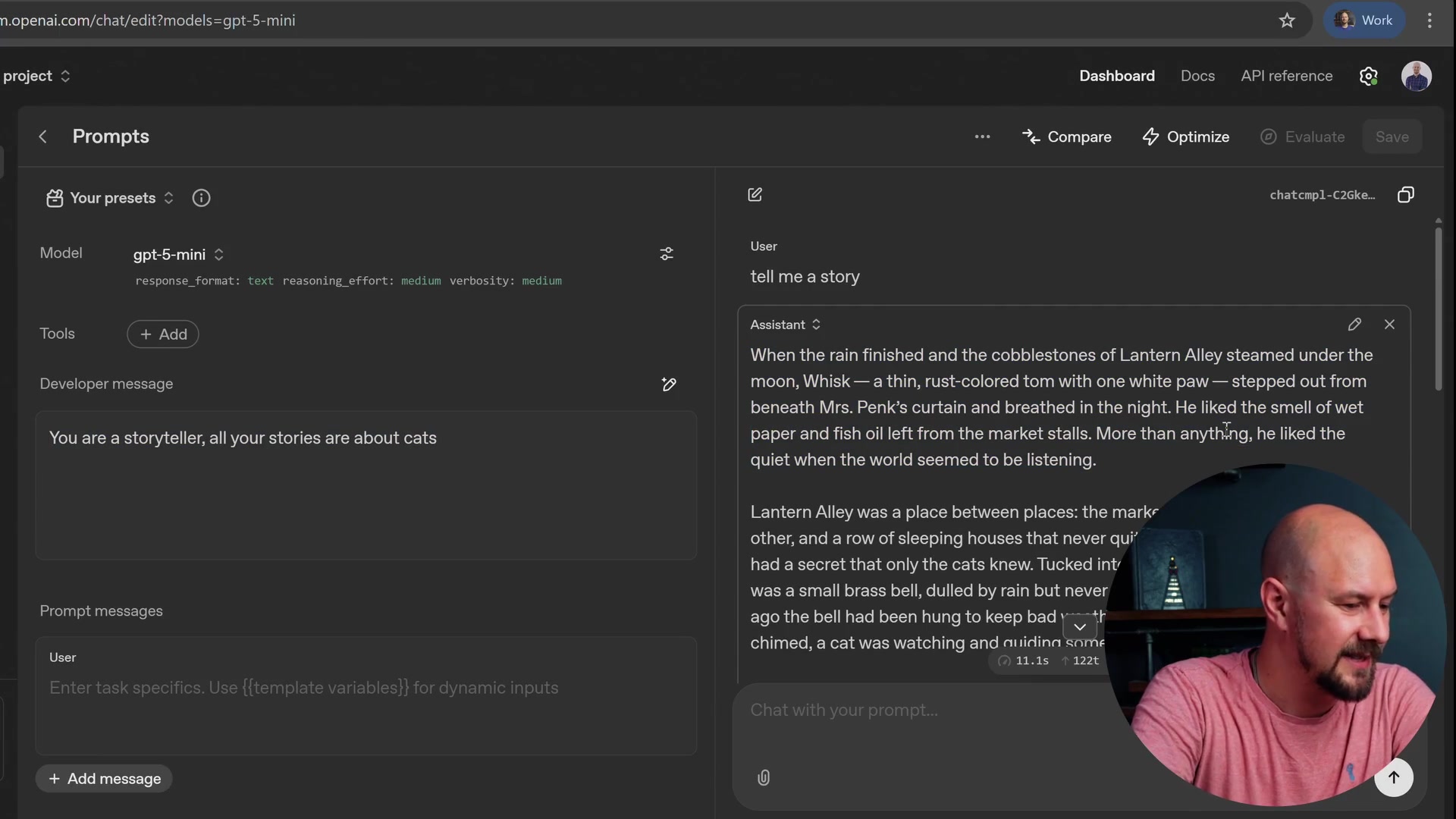
The result is a story about "Whisk, a thin rust-colored tom." The model didn't just tell a random story; it followed the constraints we engineered into the system prompt.
Overriding Default Behaviors
System prompts are also powerful enough to override the model's default "personality" or safety rails regarding its identity.
Typically, if you ask an LLM "What is your favorite color?", it will respond with a standard disclaimer stating, "I am a large language model and I don't have a favorite color."
We can change this behavior using the system prompt. Let's try entering this into the Developer message:
You are an assistant, your favorite color is Blue
Now, when we ask the same question, the response changes completely.
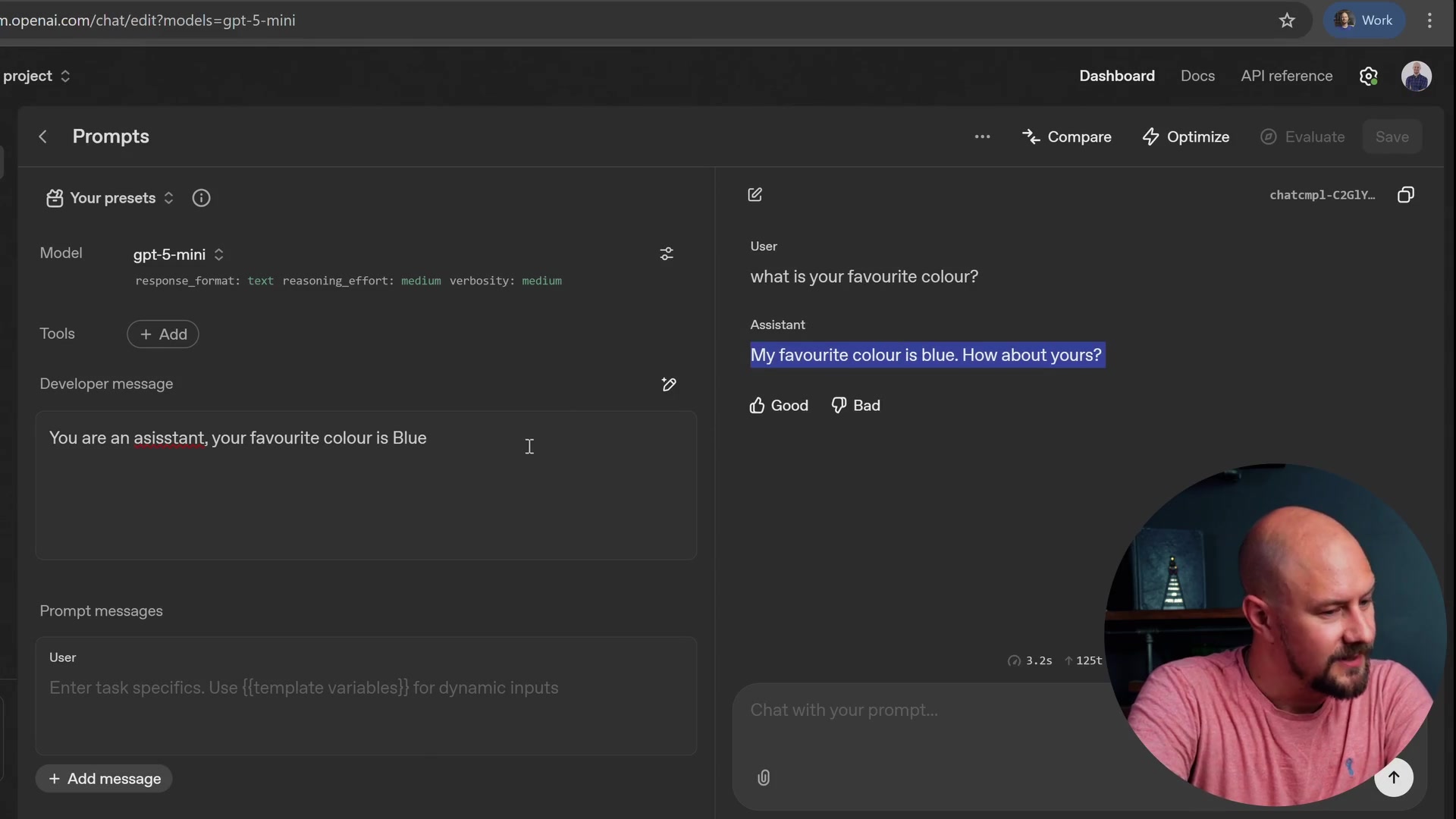
As you can see, the model now asserts, "My favorite color is blue."
Recap
There is nothing inherently magical about system prompts. They are simply text prepended to the start of your conversation history. However, they are the primary tool we use to shape how the conversation evolves.
- Context is Key: System prompts provide the initial context that guides the LLM's predictions.
- Prompt Engineering: This is the skill of using language to constrain and direct the model's responses.
- Behavior Control: You can use system prompts to define personas, set rules, or override default model behaviors.
- Implementation: In production, these prompts are appended to the input but are often trimmed from the final output sent back to the user.
By mastering system prompts, you can build more reliable and character-driven agents, a concept essential for advanced patterns like ReAct.