
How to Create Vector Embeddings with OpenAI and C#
Now that we understand what vectors are and how they can be useful for semantic search, the next logical question is: How do we actually create these vector embeddings from raw text?
We need to create vectors in a way that encapsulates the meaning of the text. To do this effectively, we can utilize a Large Language Model (LLM). Because LLMs have been trained on massive amounts of text-based data using special neural network architectures, they are exceptionally good at spotting patterns and extracting context from the text given to them.
In this post, we are going to explore the theory behind embedding models and then dive into a practical example using C# to generate vectors for a dataset.
Understanding Large Language Models
When most people think of Large Language Models, they are usually thinking of completion models. These are tools like ChatGPT where you ask a question, and it writes an answer. It is essentially completing your question with the answer underneath it.
Completion Models vs. Embedding Models
A large language model uses a special type of neural network architecture involving a transformer layer. This layer creates attention mechanisms inside the neural network.
Here is how a standard completion model works. You give it some text, such as "once upon a time." The model works out the meaning of this text and uses that meaning to predict what the next word in the sentence is likely to be.
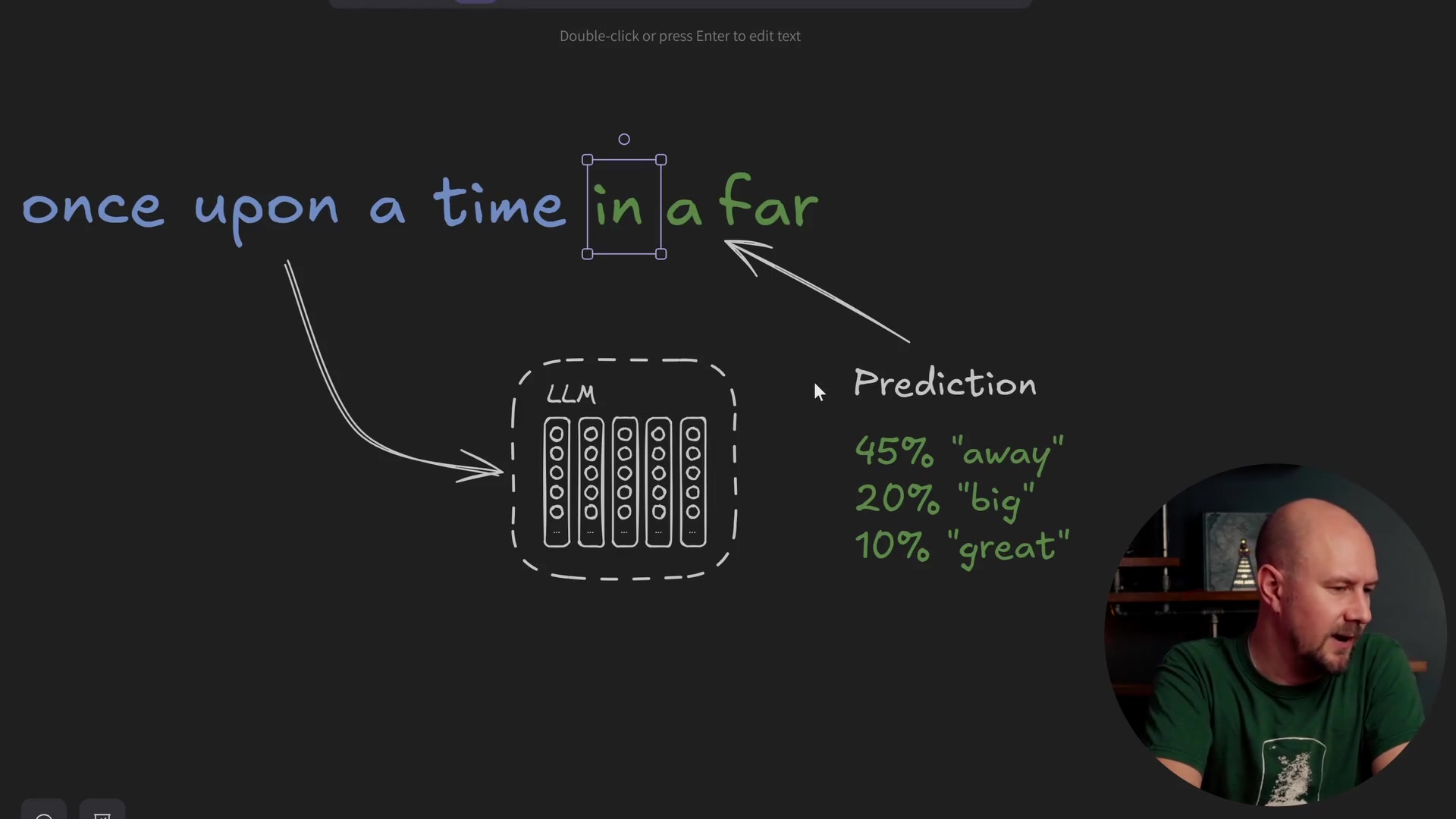
It produces a set of probability distributions for the next word. In a normal completion model, you would take the text "once upon a time," pick one of the most likely next words, append it to the end, and run the whole thing back through the model again. Eventually, word by word, this is how completion models build up a whole story.
But what if you didn't actually do the completion part? What if all you wanted to do was take the input text and perform the step where the model works out what it means?
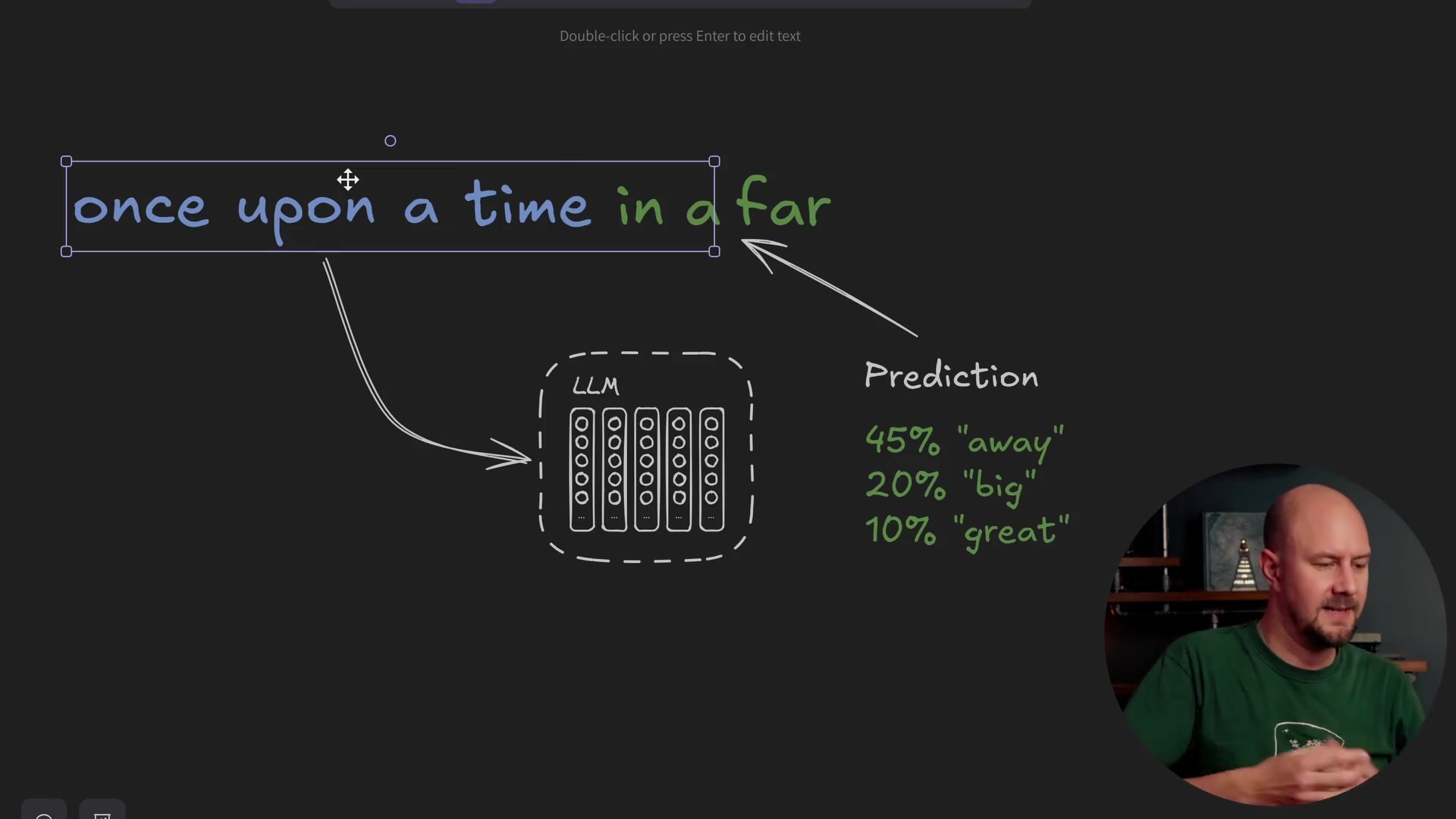
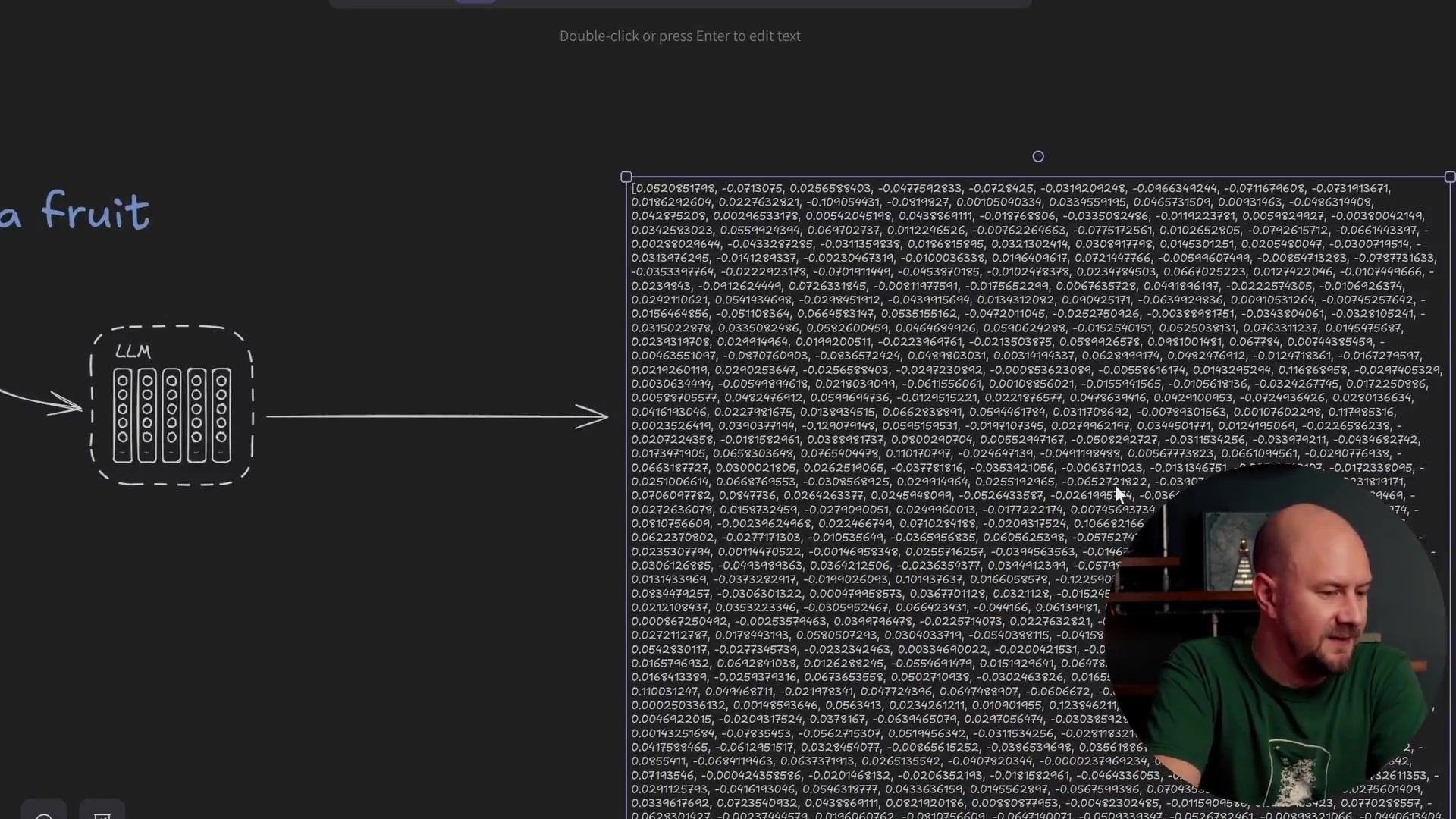
This is where embedding models come in. An embedding model is a special type of LLM that has been trained not to complete text, but to look at the entire input and determine its context. The result of this process is a vector representation of that meaning.
If you pass the phrase "apples are fruit" into a completion model, it might say the next word is a full stop. If you pass it into an embedding model, it won't predict the next word. Instead, it returns a vector that encapsulates the meaning of the text that went into it.
Most big AI providers have an embedding model you can use. OpenAI has one, Google has one on Gemini, and there are many other providers. These models are optimized so that when you pass text in, they return the meaning of that text in numerical form.
Visualizing Vector Dimensions
But what actually is this vector? How do these numbers relate to the text that was passed in? To get a better understanding of what a vector actually is and how it works, let's simplify the concept.
Real-world vectors often have hundreds or thousands of dimensions (like 512 or 1536). Let's reduce that down to just two dimensions for this example.
Imagine a graph with a Y-axis and an X-axis. We have a list of single words, and we are going to plot these words onto this graph. Essentially, we are creating a two-dimensional vector representing each word.
For demonstration purposes, let's give these axes specific names.
- X-axis: Dangerousness (How dangerous something is)
- Y-axis: Cuteness (How cute something is)
We can take these two attributes and apply them to our words to see where they appear on the graph.
Plotting Animals and Objects
Let's look at Cats. Cats can be a little bit dangerous (they have claws), but they are extremely cute. So, a cat would sit high up on the cuteness axis and low-to-mid on the dangerousness axis.
Snakes, on the other hand, can be quite dangerous. They aren't particularly cute (though some might disagree), so we put them far to the right on dangerousness and lower on cuteness.
Tigers are interesting. Baby tigers are cute, but they are extremely dangerous. A tiger appears high on both axes.
Rabbits are pretty cute and not very dangerous, putting them in the top left.
Then we have the word Lawyer. I'll put this down on the bottom right—not much more discussion needed there!
Finally, a Mouse. Pretty cute, maybe not as cute as a rabbit, and not very dangerous.
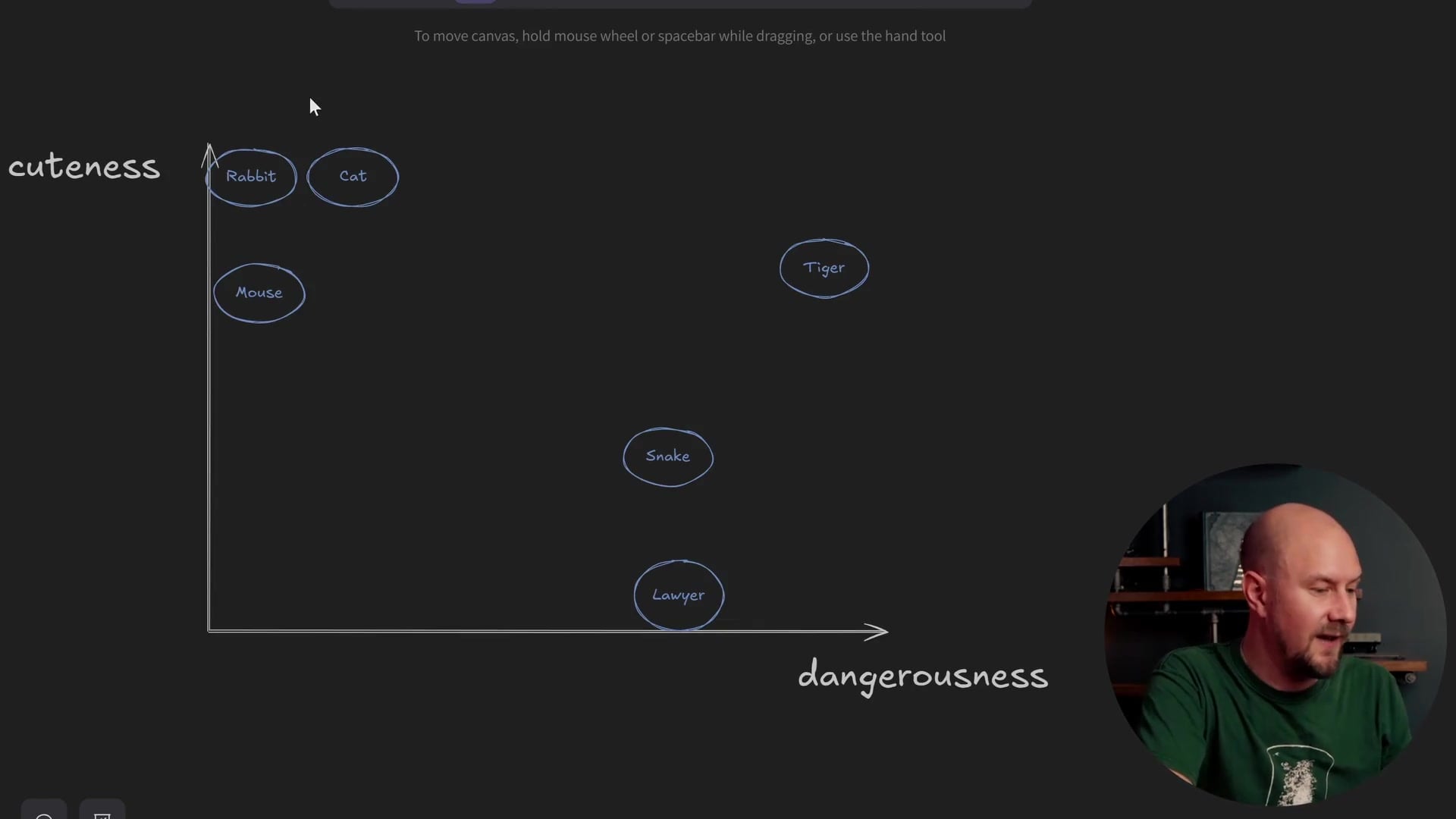
As you can see, as we plot these words onto the graph based on these two relatively arbitrary attributes, we start to build a two-dimensional picture of where these words sit relative to one another.
How Vector Matching Works
Even though "cuteness" and "dangerousness" are arbitrary attributes, we can still see how vector matching would work. Let's say we take a new word: Lion.
If we wanted to find out which animals were most similar to a lion, we would plot "Lion" onto this graph. Baby lions are cute, but they are also quite dangerous. A lion might sit just underneath the tiger.
Once plotted, you can look for the animals that are closest to the lion. In this case, the Tiger is very close, and the Snake is somewhat close on the dangerousness scale. If we were performing a vector search, these are the items that would pop up when we searched for "Lion."
The Reality of LLM Dimensions
When a Large Language Model does this, it does two things differently than our simple graph:
- More Dimensions: Instead of two attributes, it uses at least 512, 1536, or even thousands of dimensions. Imagine our graph having hundreds of different axes.
- Abstract Dimensions: The LLM doesn't have human-readable names for these dimensions. It isn't explicitly calculating "cattiness" or "sleepiness." The LLM decides what the dimensions mean during training.
There is no way for us as human beings to intuitively understand what dimension #432 actually represents. All we know is that when we plot words based on these dimensions, similar concepts group together.
For example, Wikipedia articles about the Tower of London will appear very close to articles about Tower Bridge. Why? Because they are both in London, and they both involve towers. Even though the axes are arbitrary to us, it can be useful to think of them as having labels like "London-y" or "Tower-y" to help get your head around how embeddings are generated.
Implementing Vector Generation in C#
Now, let's go ahead and create this kind of example using a real embedding model and code. We will build up a graph similar to the one we just discussed, but we will use C# to call the text-embedding-3-small model from OpenAI.
Prerequisites
First, you need an OpenAI account. Head over to the OpenAI platform and sign up. You will need to generate an API key from your dashboard.

Once you have your key, create a new C# console application. You will want to store your API key in an environment variable (for this example, we'll call it OPENAI_API_KEY).
Project Setup
We need to install a specific NuGet package to interact with OpenAI in a standard way. We will use Microsoft.Extensions.AI.OpenAI.
This package implements the generic interfaces provided by Microsoft.Extensions.AI. This allows us to write code that is loosely coupled to the specific provider.
The Code
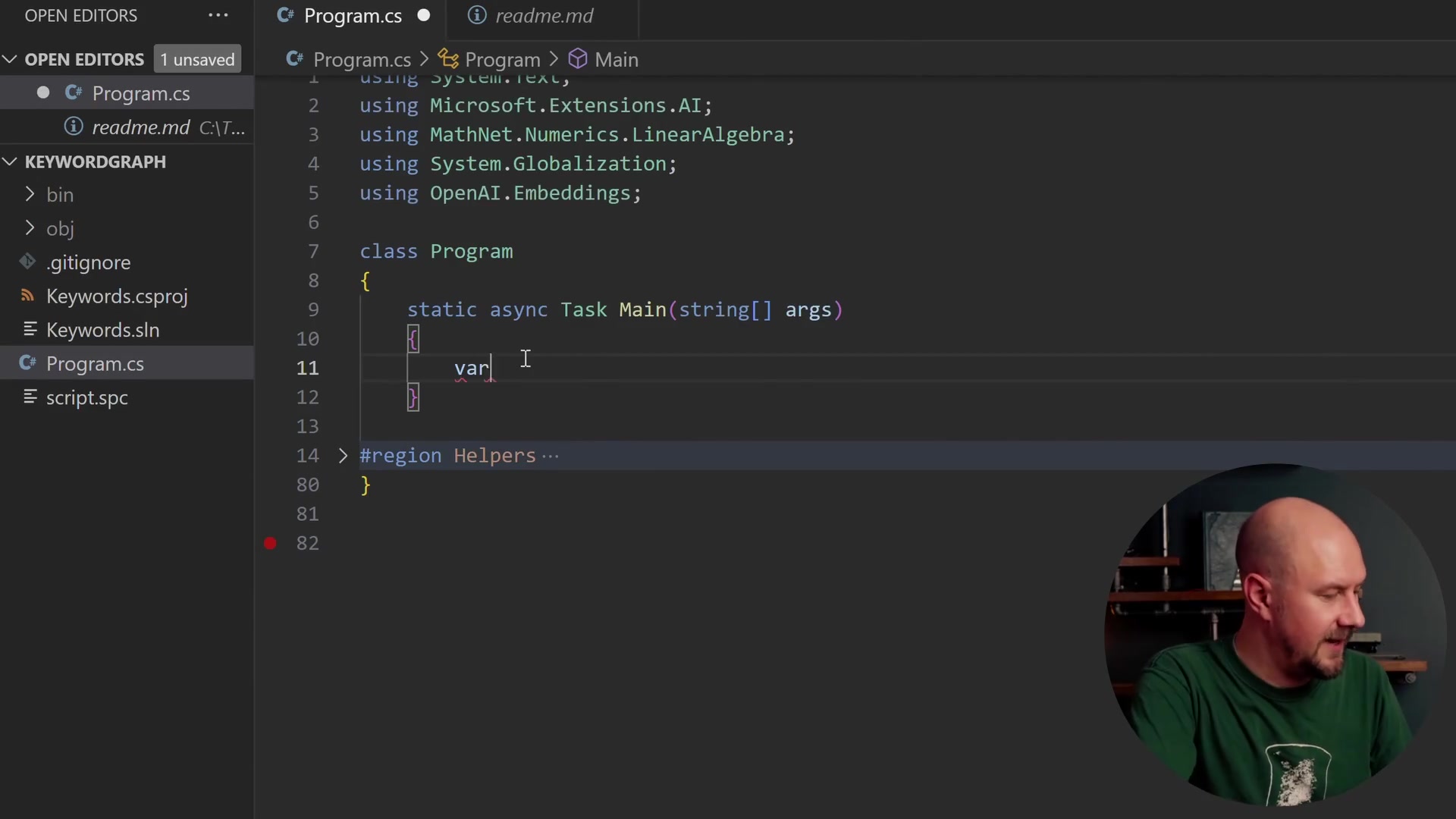
Let's start writing the code. We begin by retrieving our API key and setting up a list to hold our vectors.
static async Task Main(string[] args)
{
    var openAiKey = RequireEnv("OPENAI_API_KEY");
    var vectors = new List<(string Word, float[] Vector)>();

    // ...
}
We are using a List of tuples, where each item contains the word (string) and the vector (a float array). Remember, a vector is simply an array of floating-point numbers.
Next, we create the embedding client.
var embedder = new EmbeddingClient(
    model: "text-embedding-3-small",
    apiKey: openAiKey
).AsIEmbeddingGenerator();
Here, we instantiate an EmbeddingClient from the OpenAI.Embeddings namespace. We then call .AsIEmbeddingGenerator(). This casts the client to the IEmbeddingGenerator interface from Microsoft.Extensions.AI. This gives us a standardized class where we can call methods to generate embeddings.
Generating Embeddings
We will create an array of words—the same ones we discussed in our theory section, plus a few others like "helicopter," "train," "blue," and "space."
var words = new[] { "cat", "mouse", "lion", "tiger", "helicopter", "train", "blue", "carrot", "space" };

for (var i = 0; i < words.Length; i++)
{
    var embedding = await embedder.GenerateAsync(
        new[] { words[i] },
        new Microsoft.Extensions.AI.EmbeddingGenerationOptions { Dimensions = 512 }
    );

    var vector = embedding[0].Vector.ToArray();
    vectors.Add((words[i], vector));
}
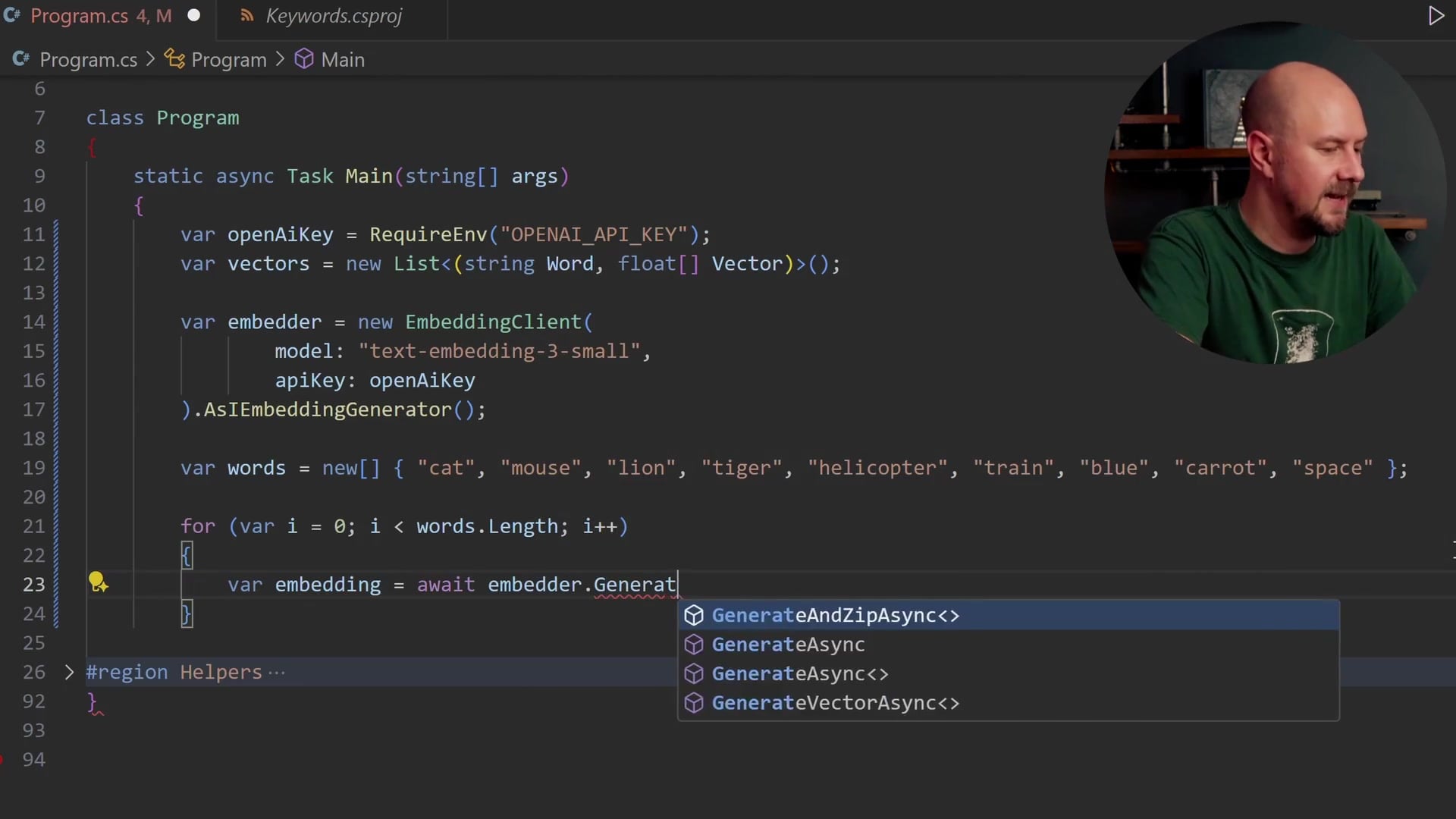
Let's break down what is happening in this loop:
- We iterate through our
wordsarray. - We call
embedder.GenerateAsync. This method takes an array of strings (we are passing one word at a time here) and an options object. - Dimensions: We specifically request
Dimensions = 512. Thetext-embedding-3-smallmodel is flexible, but 512 is a good balance for this demonstration. - The result comes back as an embedding object. We access
embedding[0](since we sent one word) and convert the vector data to a standard array using.ToArray(). - Finally, we add the word and its new vector to our list.
This is really the crux of the operation. The call to GenerateAsync sends the text to OpenAI, their model processes the meaning, and it returns the floating-point array.
Visualizing the Results
After the loop finishes, we have a list of words and their associated 512-dimensional vectors. To visualize this on a 2D screen, we need to reduce those 512 dimensions down to 2.
I have included a helper method in the project (which you can find in the GitHub repository accompanying this post) that performs a PCA (Principal Component Analysis) reduction. This essentially "compresses" the data from 512 dimensions to 2 dimensions, preserving as much relative distance information as possible.
We save this data to a CSV file.
SaveCsv(vectors, "animals.csv");
If we look at the generated CSV file, we see the words along with an X and Y coordinate. These numbers don't strictly mean "cuteness" or "dangerousness" anymore because they are mathematical reductions of 512 abstract dimensions. However, the relative distances should still hold meaning.
To see this, we can paste the CSV data into a tool like Flourish Studio.

When we plot this data, the results are fascinating.
- Helicopter and Train appear very close together. This makes sense; they are both modes of transport.
- Carrot is off on its own.
- Blue and Space are outliers.
- Most importantly, Cat, Tiger, and Lion are grouped very closely together.
It doesn't really matter that "Cat" has an X value of 0.22 and a Y value of -0.37. What matters is that it is mathematically close to "Tiger."
Recap
We have covered a lot of ground here. Let's summarize the key takeaways:
- Embeddings capture meaning: Unlike completion models which predict the next word, embedding models analyze text to create a vector representation of its context.
- Vectors are coordinates: You can think of vectors as coordinates on a graph with hundreds of dimensions. Words with similar meanings appear "closer" to each other in this space.
- Implementation is straightforward: Using the
Microsoft.Extensions.AIlibrary in .NET, we can easily swap out embedding providers and generate vectors with just a few lines of code. - Visualization proves the concept: Even when reducing 512 dimensions down to 2, we can visually confirm that the model groups semantically similar words (like animals or vehicles) together.
You can take the code provided here and run it with your own set of words. You aren't limited to single words, either; you can create embeddings for entire sentences or paragraphs.
In future posts, we will explore what to do with these vectors once we have them, specifically focusing on how to store them in a database and perform vector searches to calculate similarity programmatically.
Thanks for reading!